Building Better Training: How Video Studio Connects Learning Creation and Records
For training, health and safety or compliance leaders, the hardest part of delivering great courses often isn’t creating the content, it’s making sure the right people complete the right learning, and that every completion is logged for audit and regulatory requirements. Traditional systems that separate course creation from learning management often leave you wrestling with version control, missing records, and tangled admin. By contrast, a connected workflow like the iProtectU Video Studio brings together content creation, delivery and record-keeping, streamlining every step from initial idea to audit-ready evidence.
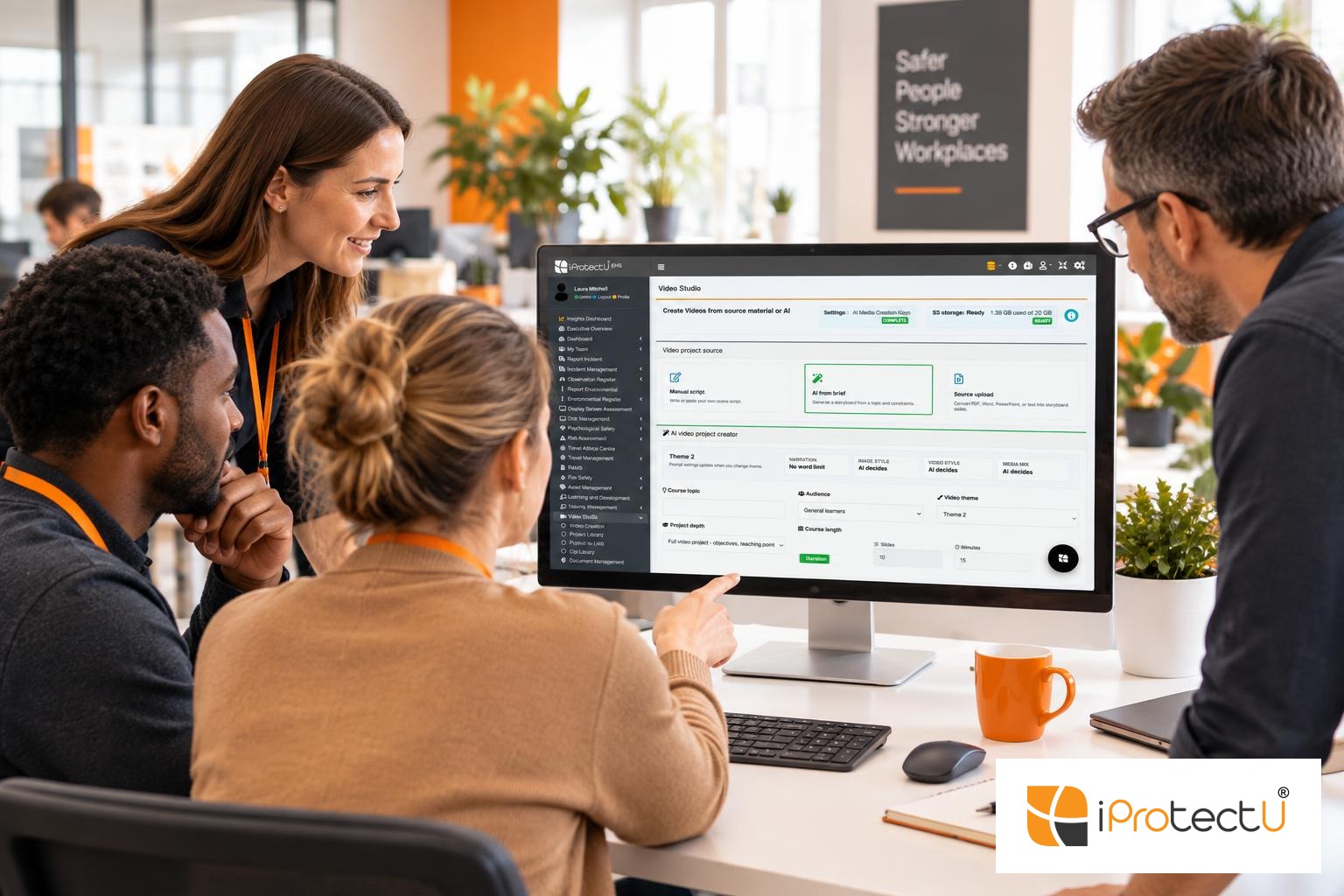
Why Integration Matters: Moving Beyond Siloed Training Systems
Most organisations start with good intentions when setting up their learning and development: thoughtful induction presentations, safety videos and written handbooks. But what happens next can be less joined-up. The typical pattern looks like this:
- Content is created by one team in Word, PowerPoint or a generic video editor.
- The finished product is emailed, uploaded or handed off to someone else to update the learning management system (LMS).
- Records of who has completed which course, and versions individuals have seen, may be tracked in spreadsheets, emails or not at all.
When a process changes or when reviews come around, it is frustratingly slow and easy for things to slip. Some staff may complete outdated material; others’ records go missing or are unclear. Compliance issues arise when regulators check back through training records and spot gaps, or when auditors ask for proof of learning related to a specific policy update.
By fully connecting video creation, course publication and training records within a single workflow, Video Studio reduces those risks, and provides several practical advantages for buyers evaluating LMS and compliance solutions.
Introducing Video Studio: How It Supports Modern Training
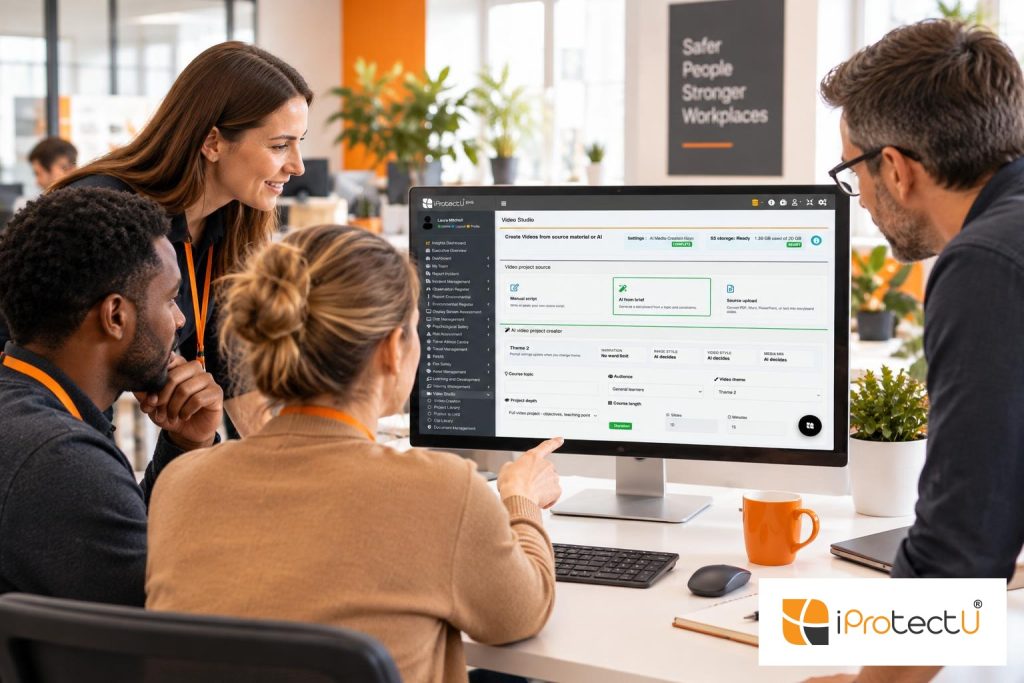
Video Studio makes it simple to turn existing documents, scripts or AI-generated storyboards into professional training videos. You don’t need to be a filmmaker, if you know your workplace, you can build the learning your teams need. Video Studio is part of the iProtectU platform, acting as the bridge between your organisation’s existing expertise and a robust, integrated record of staff competence.
Connected Features at a Glance
- Multiple content inputs: Build training by writing your own script, uploading existing documents (PDF, Word, PowerPoint) or letting AI suggest a first draft storyboard.
- Visual and audio flexibility: Drop in workplace images, video clips, music, and edit titles or on-screen captions to suit your team and context.
- Preview and translation: See exactly what your learners will experience, including translations for a multinational workforce.
- Direct publishing: Publish new or updated courses straight to your iProtectU Learning and Development Centre, ensuring everyone sees the right version, first time.
- Built-in assessment options: Develop and attach quizzes or examinations so you can test understanding, not just deliver information, and log results to individual learner profiles automatically.
- Project and media management: Reuse, revise and track all your assets and projects centrally, reducing duplicated effort and maintaining a high standard across different courses.
Three Clear Paths: Creating Tailored Training Videos
No two organisations have the same starting point or subject expertise. Video Studio provides flexibility without confusion:
- Manual Script Authoring: Subject matter experts can write or paste out a full script, building training around the language, policies and examples unique to your workplace.
- AI Brief and Storyboarding: If you need inspiration, specify a training goal, audience and time, and generate a draft storyboard automatically. Review and adjust before production for relevance.
- Source Document Upload: Use established, approved documents from your own policy library. Video Studio divides these into training segments (slides) for easy updating and enriching with multimedia.
An example: Imagine you have a detailed risk assessment procedure as a Word document. Instead of copying and pasting into different platforms, you upload the file. Sections become slides, images can be added from your actual site, and narration can match the practical realities of your work environment. You end up with a video far more engaging and useful than a static policy memo.
Editing, Reviewing and Customising: Easy, Practical Adjustments
Great training comes from context, not just content. Here’s how Video Studio keeps learning rooted in real workplace practices:
- Scene-level editing: Adjust narration for clarity, swap images to show correct equipment, and make notes visually obvious for high-risk steps.
- Workplace imagery: Include photos and clips from your locations or job types, making points tangible for staff.
- Preview every change: See the end result before releasing or sending for peer review.
- Easy translation and adaptation: Switch slides to plain text for accessibility or review how information will look in other supported languages.
This lets technical leads, health and safety teams or HR staff take policy, regulation or work procedure, and adapt it into something their staff will actually absorb and retain.
Workplace Example: Updating First-Aid Training After an Incident
Suppose new chemical storage guidelines lead to revised first-aid steps. Your site expert uploads the latest PDF instructions, visually highlights new protocols using on-scene images, and records an updated tutorial. Video Studio helps you review, finalise and publish the training, then instantly records which employees have completed the revised course, no manual handover or file confusion needed.

Publishing Directly: Live, Controlled Course Delivery
The real benefit of integrated video and training records management becomes clear at the point of delivery. Once your course is ready, it’s a matter of selecting its publication category and going live within your training management system. Your learners log in using the environment they already know and see only the most relevant and up-to-date training for their job, location or role.
- Immediacy: New standards or emergency guidance reaches the right staff that day.
- Compliance oversight: Old versions can be archived with records left intact for auditing. No looping back through file folders to know what was taught to whom and when.
- Flexible assignment: Link courses to employee groups, departments, shifts or roles.
- Mandatory process support: Use direct publication for everything from onboarding and refreshers to critical incident response and new compliance training cycles.
Assessments: Proving and Recording Learning Outcomes
For regulated environments and higher-risk workplaces, it’s not enough to show staff watched a video. You need proof they understood, ready for inspections or legal scrutiny. Video Studio addresses this at the creation stage:
- Auto-generate or write your own questions and quizzes from training video content.
- Add explanations and images for multi-choice or scenario-based questions.
- Set and edit pass criteria, bringing compliance or technical leads into review.
- Publish together so learning and evidence are updated simultaneously.
Staff complete the required training and assessment in the same sitting, with the system logging their performance immediately, no need to collect signed papers or track down managers for each course cycle.
Example: Scheduled Annual Refresher and Real-Time Tracking
Your pandemic response policy is revised. HR and operations jointly update the video induction, including a scenario-based final quiz. Publishing is instant; as teams complete the refreshed learning, all completions are shown on dashboards for local managers and central compliance teams. When outside auditors request evidence, you can easily show not just the list of completions but the exact version of training delivered to each person.
Organising, Tracking and Reusing Training Assets
Video Studio’s asset libraries support your long-term learning plans and reduce duplicated work.
- All project statuses visible: See every draft, published, archived or scheduled training course.
- Central search for videos, images and previous projects to update, repurpose or reference.
- Drag-and-drop video reuse: Quickly update one module with assets from another, reducing wasted effort and ensuring consistency across teams or regions.
- Full change history: Track what’s live, what’s been superseded and why, essential for regulated sectors or when reviewing effectiveness over time.
For buyers managing multiple locations, departments or compliance regimes, this single point of control saves both time and budget, while maintaining a verifiable record of learning activity over years, not just training cycles.
Supporting Practical Learning for Every Modern Workplace
Many buyers imagine video training means slick, cinematic productions. In fact, Video Studio is designed for making practical, workplace-relevant training easy and accessible. This includes:
- Course content as plain language, real workplace photos, and clear scenario slides
- Short, targeted modules to address site-specific or role-specific risks
- Capability for users with limited time, skills or English proficiency, thanks to flexible slide and audio options and translation support
From training a lone worker on new check-in procedures to briefing retail floor teams on seasonal manual handling updates, you can assemble, deliver and record evidence of learning in one connected cycle.
Keeping Content Live and Responsive to Change
Training is not a one-off activity. New risks, incidents or legal changes demand quick action. With Video Studio’s agile workflows, you can:
- Update any existing course without affecting past learner records
- Publish revisions instantly, keeping every learner matched to the right training version
- Archive older material for future audits
- See who completed what and when, across every round of updates
The difference for buyers is being able to move fast and prove compliance, rather than scrambling to retrofit records or hunt scattered files when the regulator calls.

Common Misconceptions (and the Realities)
- Misconception: “You need specialist eLearning or video production skills.”
- Reality: Video Studio is built for ordinary workplace experts and training leads, using drag and drop features, straightforward editing and built-in templates or AI support.
- Misconception: “Updating training will delete or break old records.”
- Reality: Every update maintains a full history, past completions, old versions and new assignments all tracked.
- Misconception: “All training must be video-heavy and time intensive.”
- Reality: Many effective courses use simple photos, narration and practical slides, ensuring quick rollout and relevance.
- Misconception: “Integration means you lose creative freedom.”
- Reality: You choose manual, AI or document-driven creation, then adapt every scene as needed, the workflow fits your style, not vice versa.
Checklist: Steps for Buyers to Evaluate Integrated Training
- Survey your current content: Are there documents, guides or scripts to repurpose?
- Assess LMS integration: Does your current workflow link content, users and records directly, or do you manage these manually?
- Look at update speed: When a new policy or risk appears, can you update and republish quickly?
- Examine compliance reporting: How easy is it today for you to compile and prove training evidence for audits or inspections?
- Focus on the user journey: Is it simple for staff to find, complete and get credit for the right training, on time?
Video Studio provides a pathway from strategic oversight to operational detail, so buyers and stakeholders can confidently demonstrate how learning creation, delivery and proof are connected every step of the way.
Concrete Examples of Connected Learning in Action
- Induction and onboarding: A new employee watches a video walkthrough specific to their site and role, with embedded quiz. Both completion and understanding are logged for managers and compliance teams.
- Incident-triggered updates: A close call leads to a refreshed safety module. Within hours, every relevant staff member has access, and their completion is tracked, no repeat emails or manual lists.
- Annual refresher policies: HR revises procedures, updates the video, and staff see the current version the next time they log in. Previous completions for earlier versions remain on record for full traceability.
- Role-based learning: Only those with up-to-date training records can start certain machinery or high-risk jobs. Records update automatically in the same environment.
Practical Advice: How to Make the Most of Integrated Video Training
For buyers and L&D leads:
- Start with your current bank of policies, manuals and expert scripts, these are the basis for effective, relevant training videos.
- Involve process owners and compliance leads early, review and sign off training before it goes live to eliminate confusion down the line.
- Regularly review record dashboards to identify teams needing refresher or remedial work.
- When policies or legislation change, prioritise prompt video and assessment updates, safe in the knowledge all records are versioned automatically.
- Encourage staff feedback after course completion, adjust learning material over time with fresh examples, images or clarification, using the easy update path.
Keeping learning relevant, accessible and trackable drives real improvements in culture, safety and compliance. Gone are the days when great training got lost in translation or failed to count at audit time. With a connected platform such as Video Studio, content creation, learner engagement and records management move together.
Final Takeaway: Build Training that Works for Your Organisation and Your Evidence
At its heart, Video Studio exists to take what you know and turn it into professional, effective, accountable training, without multiplying admin or requiring new production skills. When buyers need confidence that learning content, delivery and records are all kept in step, a connected approach really delivers. It means a single workflow from idea to audit, helping you keep pace with change, reduce risk and strengthen your workplace learning culture.
For a closer look at effective, integrated training creation and records workflows, explore Video Studio or book a demo to see it in action.
FAQs
Our FAQs help you understand how iProtectU health and safety software can support your organisation.
For anything else, request a demo or contact our team.
Yes, Video Studio allows you to upload PDF, Word, PowerPoint and text files. Your documents are automatically divided into training segments, which you can then review and enhance with images, narration and other media before publishing.
No, Video Studio is designed for workplace experts and training leads, not professional filmmakers. Its drag and drop features, straightforward editing and built-in templates or AI support make creation accessible, even if you have limited experience with video tools.
Yes, you can preview, edit and customise scenes before publishing. This includes adjusting narration, swapping images and reviewing the finished course to ensure it fits your needs and is accurate for your workplace.
Once courses are published using Video Studio, completions and assessment results are automatically logged within the iProtectU Learning and Development Centre. This means every completion is tracked, version histories are preserved, and records are audit-ready for compliance or inspection purposes.
Yes, you can add quizzes or examinations to your training videos. Questions may be generated from the training content or written manually, and you can set pass criteria and explanations. Results are logged to individual learner profiles as part of the training record.
Explore Connected Training Creation and Records
If you are ready to improve how your organisation builds, delivers and proves staff learning, consider exploring an integrated platform like Video Studio. Review your current content, processes and reporting needs to see how a connected workflow could make training more effective, trackable and responsive to change.