
Video Studio - training video creation software
Create training videos. Publish straight to learning.
Turn your knowledge, documents and ideas into engaging training videos. Create, refine and publish directly to your iProtectU Learning and Development Centre in one connected workflow.
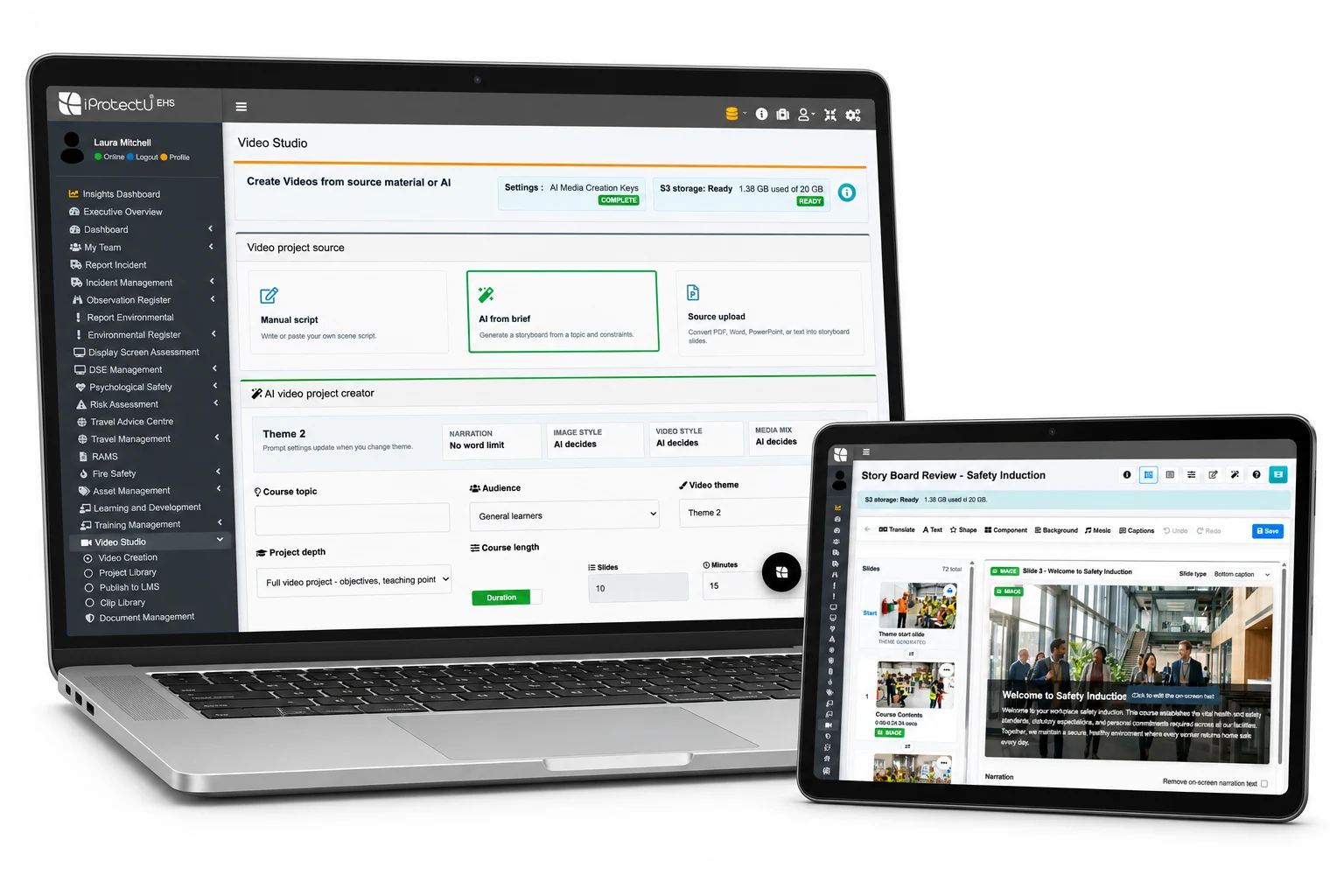
Start with what you already know.
Bring your procedures, expertise and learning objectives into Video Studio. Choose the creation route that fits your material, audience and course.
Write your own script
Write or paste your scene script to build a course around your own message, terminology and workplace.
Create from an AI brief
Define the topic, audience and intended length. Generate a storyboard, then review and refine the content before production.
Use existing documents
Turn PDF, Word, PowerPoint or text material into storyboard slides, giving established knowledge a new training format.
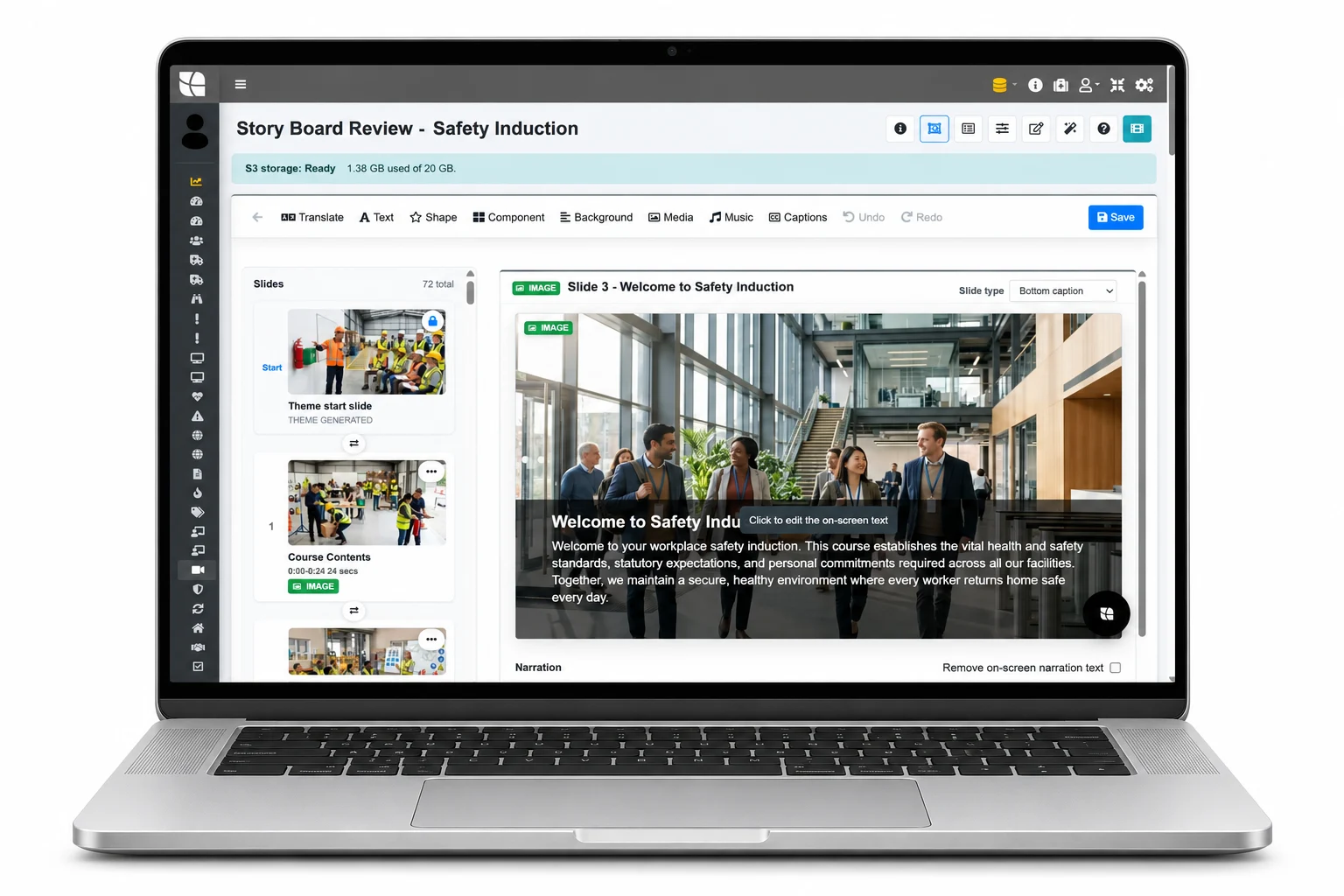
Make every scene your own.
Review the course as a storyboard and shape each scene around the learning message. Keep the words, narration and visuals working together.
- Edit on-screen titles, text and narration.
- Arrange scenes and refine their timing.
- Add images, video, music and captions.
- Use translation tools and preview your changes.
- Review the finished course before you publish.
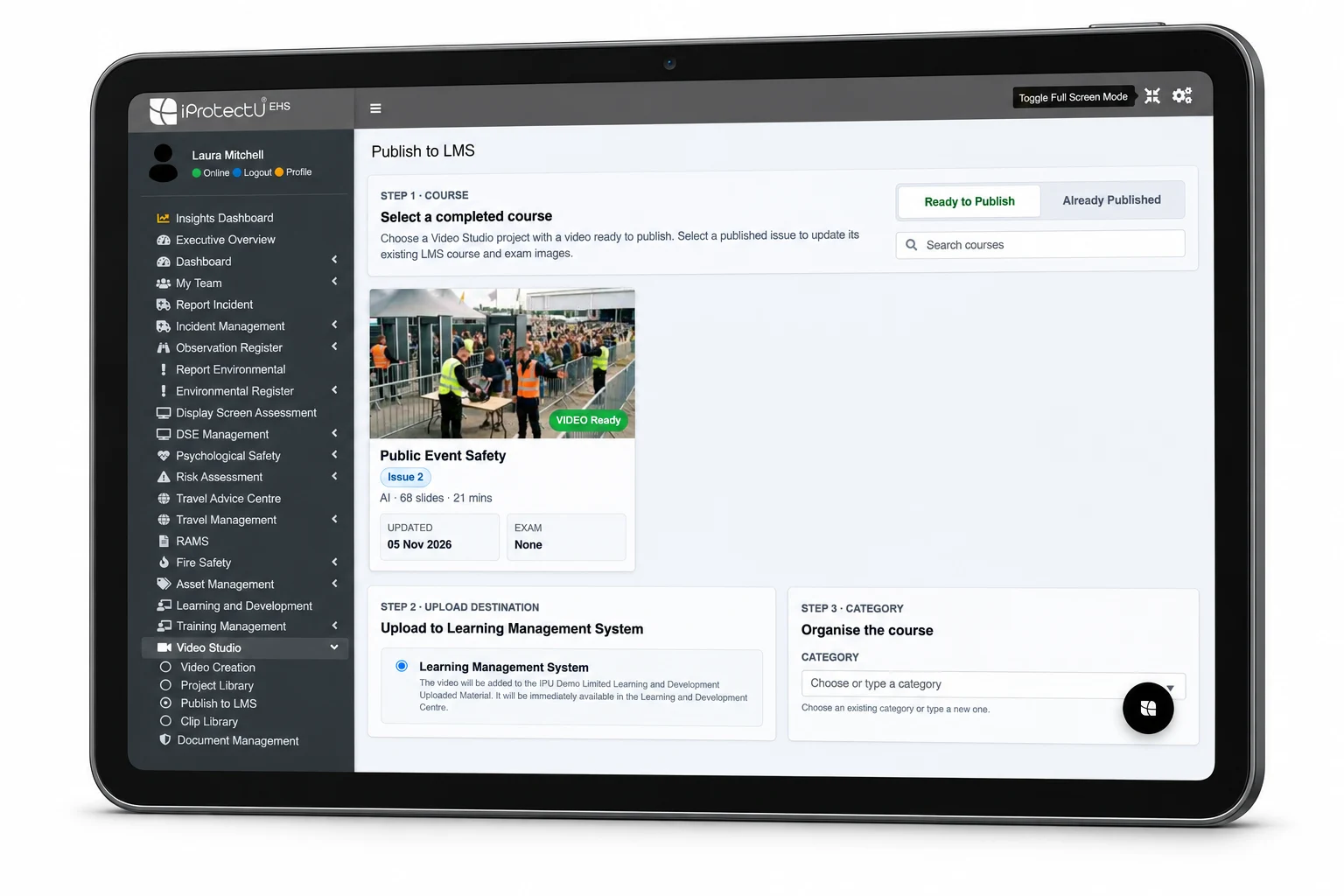
Create it here. Deliver it through your LMS.
Choose your completed Video Studio project, select a course category and publish directly to the iProtectU Learning and Development Centre.
Publish the course on its own or with a reviewed examination. Update an existing published course when the learning material changes.
Your teams can find and complete the training through the same learning environment they already use.
Create examinations from your training content.
Turn your video course into learning with an assessment. Create examination questions from the project content, refine them with your subject experts and publish the reviewed examination alongside the video.
Create your questions
Choose the number of questions and generate a draft from your course content. Add, edit or recreate questions to focus on the learning points that matter.
Review every answer
Refine question wording, correct and incorrect answers, explanations and supporting images. Review the examination before making it available to learners.
Publish video and examination
Publish the completed video and reviewed examination together to your iProtectU Learning and Development Centre, keeping content creation and delivery in one workflow.
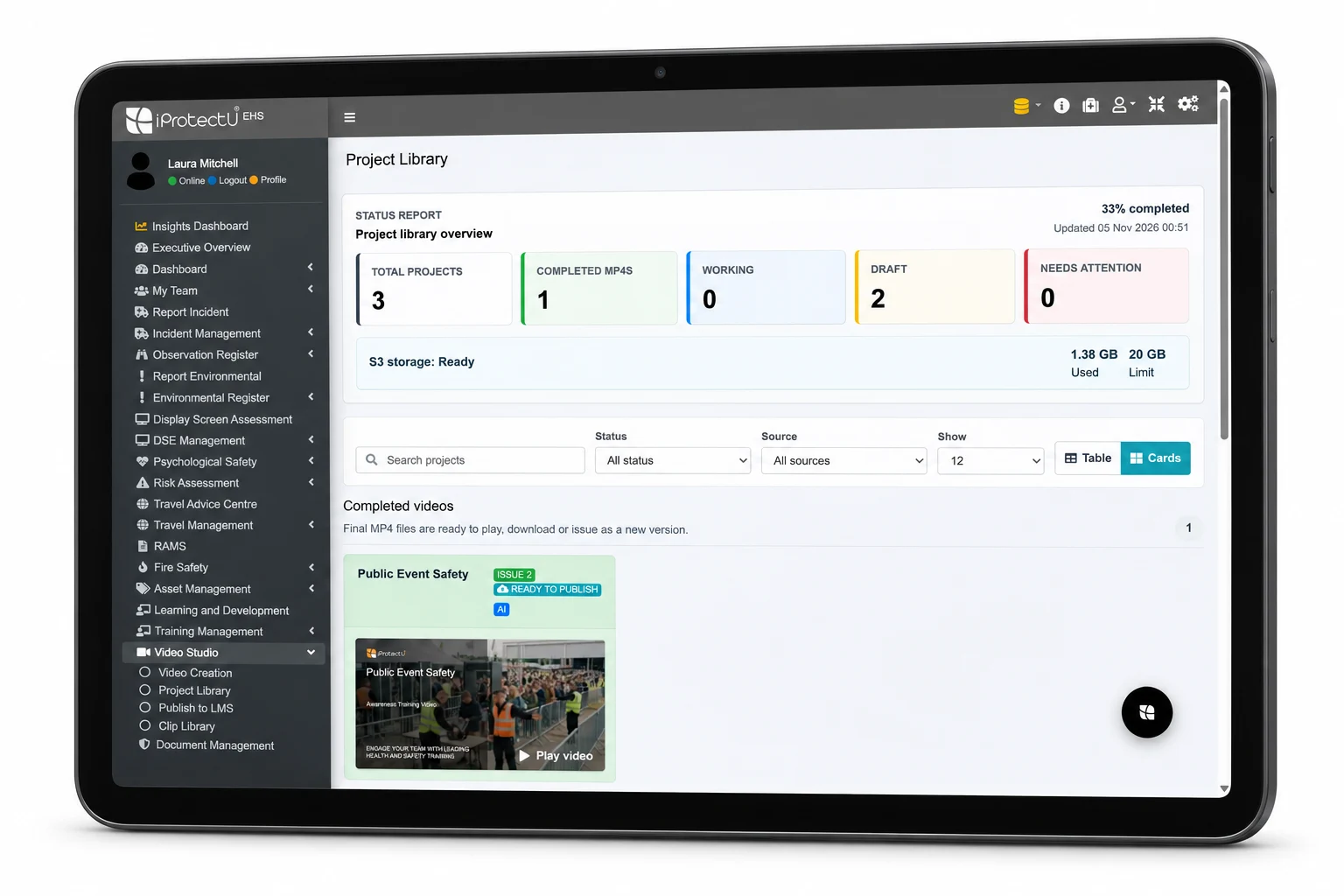
A clear view of every project
Keep your training content connected. Manage the projects you are building and the media you can reuse, with dedicated libraries inside Video Studio.
Find draft and completed projects, see the current issue and return to the work that needs your attention. Play or download completed MP4 videos when they are ready.
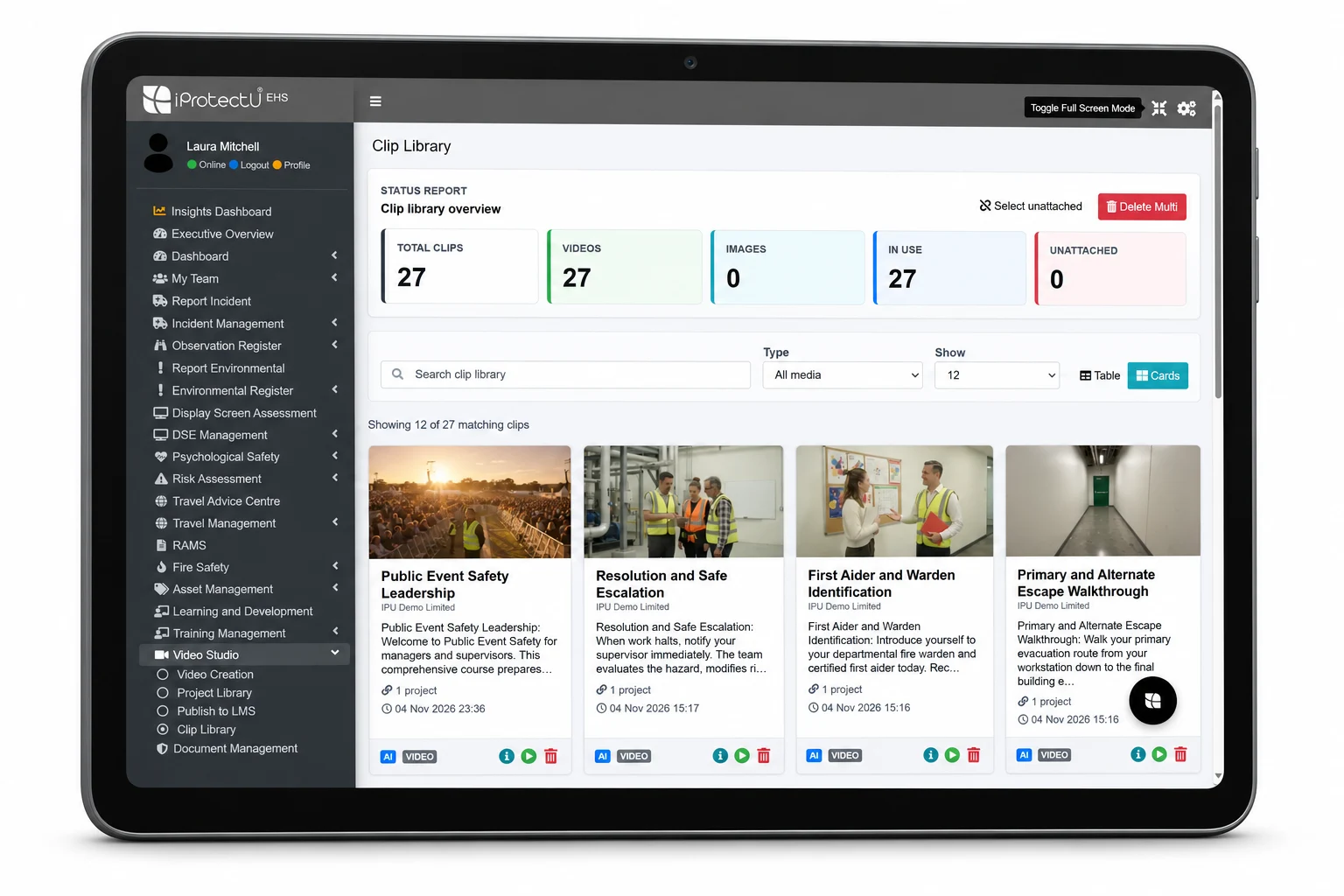
Media ready to use again
Search your clip library, browse video and image assets, and see where media is in use. Bring relevant material into your next training project.
Make the learning relevant to your workplace.
From storyboard to finished training. Create inductions, safety briefings, procedure refreshers and role-specific training using your organisation’s own knowledge and material.
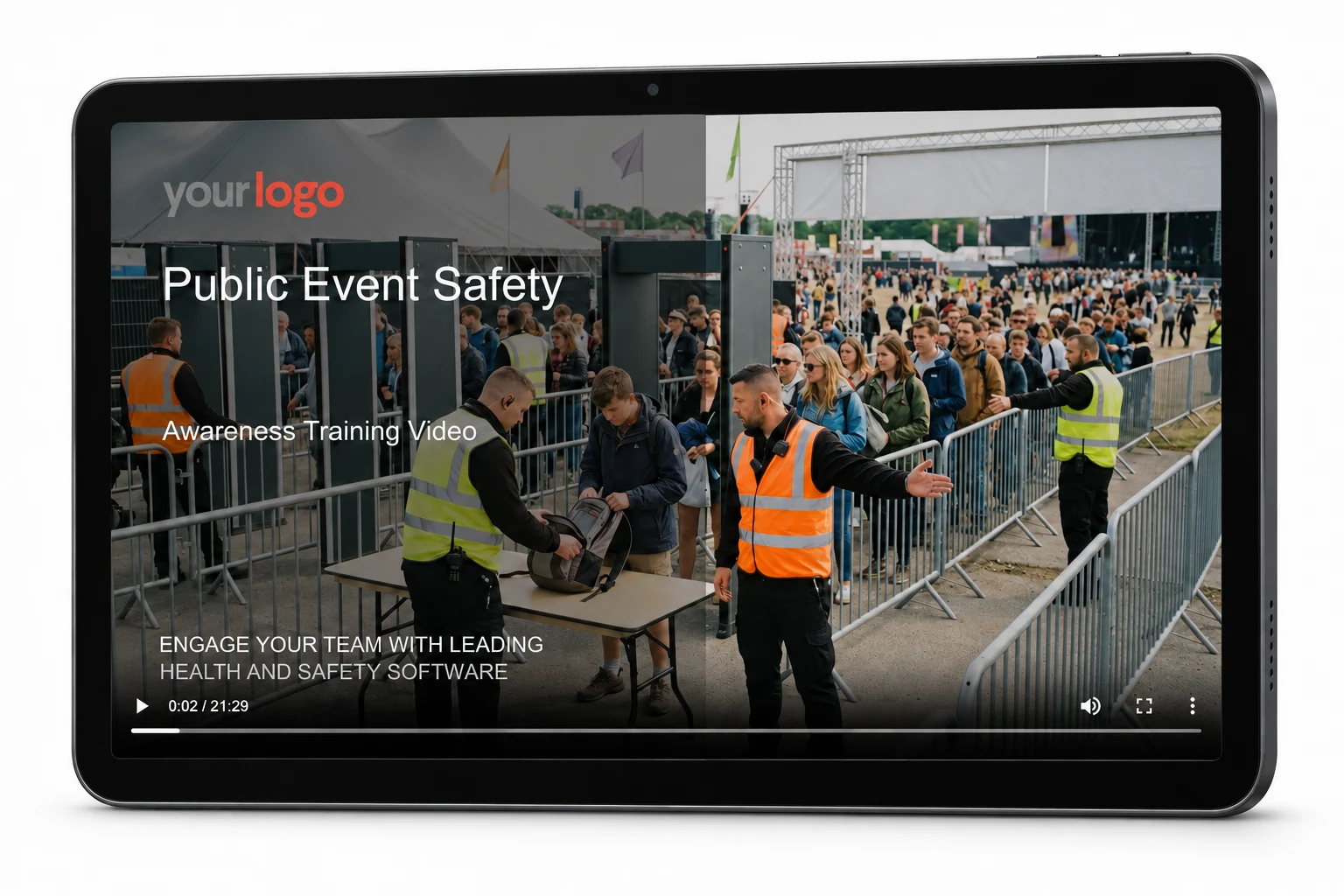
Still image from a public event safety training video produced in Video Studio.
FAQs
Find out how Video Studio connects video creation, content review and your Learning and Development Centre.
Completed Video Studio projects can be published directly to your iProtectU Learning and Development Centre. Choose the course, category and publication options, then make the training available through your LMS.
Yes. The source upload route accepts PDF, Word, PowerPoint and text material and converts it into storyboard slides for you to review and refine.
No. You can write or paste your own scene script. AI from brief and source upload provide additional routes when they suit your training project.
Yes. Review scenes, edit on-screen text and narration, adjust media and timing, and preview the result before rendering and publication.
Yes. Create and review the questions for the project, then use the course-and-exam publication option when publishing to the LMS.
Bring content creation and learning together.
See how Video Studio fits your people, training material and Learning and Development Centre.
Arrange your demonstration
Let us show you how we can transform your health and safety, risk and compliance management
Please choose a date and time for your demo. We look forward to meeting with you.